
Reboot – Part Deux
A long hot summer, with it being too hot to work outside, has left me with too much time back in front of the screen – armed with my new buddy Claude. Having a capable ‘developer’ beside me has completely changed the game. No longer am I spending hours Googling (or Kagi‘ing as it is that I do now), trawling through Stack Exchange (RIP) – Claude either knows the answer, or knows enough on how to get there.
Rebuilding the Network
This re-reboot came at the end of a wholesale refactoring of the now 5 Raspberry Pis on my network. With my SysAdmin/Developer next to me, running in both VS Code, terminal (CLI) and Desktop, I threw caution to the wind and went nuts:
- Migrated the old RPi v4 to the new RPi5 – running docker with much more storage thanks to a 512Gb NVMe hat
- Separated the management concerns of the network (as far as the Pi’s go) on to the old RPi4
- As part of that process, I went through running two instances of Dockge, to Portainer, to test-driving Komodo before landing on Dockhand – it ticks all of the boxes I was looking for, multi-server management, docker-compose, server and container stats, server and container management, logs, and more – in an interface that was more aligned to my UX expectations.
- Properly set-up monitoring agents with Beszel, and back-up with Cockpit
- Replaced Homepage with Glance for a ‘single pane of view’ for things that I want to see and access
- Implemented a backup system, properly configured with my mostly dormant Synology NAS, automating backups for all the Pi’s
- Troubleshot Cloudflared tunnels (split-tunnels) and simplified some DNS rules in Cloudflare
- Implemented Tailscale to better enable direct SSH connection to all my internal network devices
- Finally installed Uptime Kuma, with proper port-based monitoring and connected that to both Cloudflare and Tailscale monitoring endpoints in HetrixTools
- Leveraged MCP and Claude connections with Github, Cloudflare and Notion for improved documentation of all the network items, configurations and versioning of systems
- …and this doesn’t cover all the alternatives tried, tested, installed/deleted and the fun of re-configuring SSH tools over and over! For completeness, I moved to iTerm2 for local, and Termix for remote SSH/Terminal/SFTP
And that was just the network side of things. Having an agent that I could have context of my entire system and have it provide a considered view on pros and cons of different configurations has been confidence inspiring. The amount of times Claude found simple things like wrong permissions, a conflicting Ngnix rule in my reverse proxy, a race-condition in a script or the infuriating split-DNS issue saved me hundreds of hours and mountains of frustration. 99% of the time I would just leave instructions and walk away, only to comeback and approve an edit or access request.
Trial and error
Having sorted, updated, separated, and manage all the things, and being still stuck inside waiting for the heatwave to pass, wanted to write about these things. At the time I wasn’t really that keen on reactivating this site. I wasn’t really thinking about writing long-form, but was considering something closer to BlueSky. So down the rabbit-hole I went again – trying (with help with my trusty-LLM sidekick) static site generators – Astro and Pelican, Lektor and Grav, even gave the highly-recommended Ghost a go – not satisfied I also tried, WriteFreely and HTMLy – which is the closest I got, before relenting and revisiting this blog.
In recent years I had migrated some of the other WordPress sites I still managed over to ClassicPress – on principle, more than anything – but the seriocomic site was the old stalwart and holdout. It wasn’t much effort to migrate, with my key concerns dealing with really old plugins and wanting to maintain the ability that when exported to static files it was essentially free from any sign of the underlying CMS.
My first task once the migration was complete was to build a better pipeline from publish to published – essentially creating a static copy of the site to be uploaded to Cloudflare pages. Claude made this possible by migrating my old local NPM/Gulp method to run on the Raspberry Pi that acts as the web server. Not happy with the 30+ minute full WGET crawl on each change, I got Claude to look into using the hooks built in to WP/CP. This essentially generated a simplified build based on only the pages that changed.
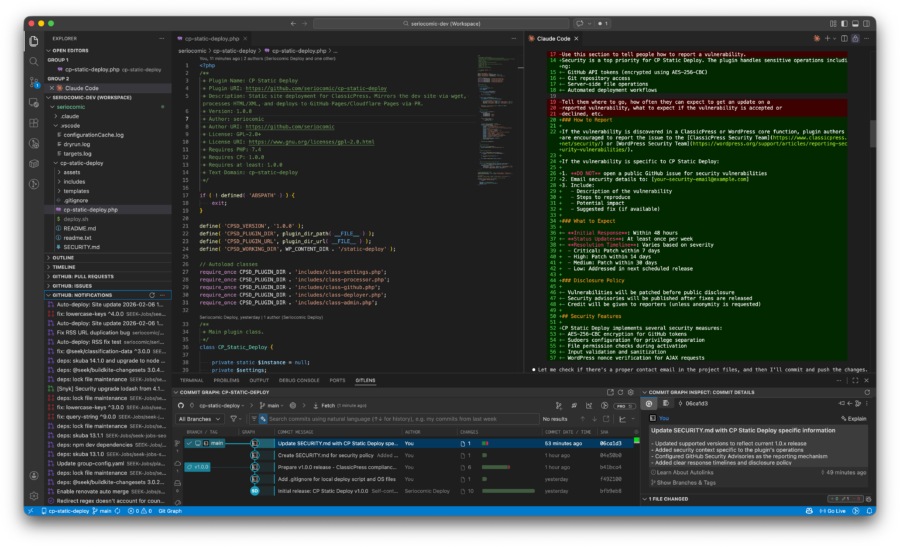
That done and working, I thought why can’t I make this into a plugin? That actually meant a rewrite of the code from bash and shell scripts into PHP methods and classes that would the same thing. This task alone would have been a mountain too high for me, but it was nothing but a simple 1 line request to Claude. Given that this is more than a fully contained plugin and requires configuration in both Github and Cloudflare, I’m not sure it’s going to amount to anything more than my own use, but it wasn’t like I spent hours sweating over it.
So here we are – a new post and the chance to write about all the things I wanted to. It could be a case of all said and done until the urge strikes again in another year or two, or maybe I’ll have something else to share.